
ApiWorkbench
ApiWorkbench is an API client: you build an HTTP request, send it, and read what the server answers. It also tests APIs, runs whole collections, load tests them, and talks WebSocket, Socket.IO, MQTT, Server-Sent Events and gRPC.
These pages describe version 1.4.0.
Who it is for
- People learning APIs. Every field, tab and button explains itself when you point at it. Start with Send your first request. If the words are new, read What is an API? first.
- Developers who want to try an endpoint while they build it, with variables, auth and code snippets.
- Testers who need repeatable checks, data-driven runs, load tests and reports for CI.
- People moving from Postman. Collections, environments, scripts and auth settings import and export. See Move from Postman.
What you can do
Get started
| Page | What it covers |
|---|---|
| Install | Snap, .deb, tarball, Windows and Android packages |
| Tour of the window | Every part of the main window, with pictures |
| Send your first request | A GET, a POST with JSON, and saving to a collection |
Build requests
| Page | What it covers |
|---|---|
| Build a request | Methods, the URL bar, editor tabs, saving and request tabs |
| Query params and path variables | The Params tab, :id segments and bulk edit |
| Headers | Your own headers and the ones added for you |
| Request bodies | JSON, text, XML, forms, file uploads and binary files |
| GraphQL | Queries, variables and the schema explorer |
| Request settings | Redirects, certificates, encoding and timeouts per request |
Authorization
| Page | What it covers |
|---|---|
| Authorization | How auth works, inheritance, Bearer, Basic and API key |
| OAuth 2.0 | Every grant, browser sign-in, refresh and saved tokens |
| Other auth types | OAuth 1.0, Digest, NTLM, AWS Signature, Hawk, EdgeGrid, JWT |
Responses
| Page | What it covers |
|---|---|
| Read the response | Status, time, size, every response tab, find, save, examples |
| Console | Every request on the wire, and script output |
| Cookies | The cookie jar and the cookie manager |
Organise
| Page | What it covers |
|---|---|
| Collections and folders | Saving, folders, collection settings, version history |
| Variables and environments | Scopes, precedence, initial and current values, secrets |
| Dynamic variables | Every {{$...}} name and what it generates |
| History | The last 100 requests you sent |
Test and automate
| Page | What it covers |
|---|---|
| Tests | Checks that run after every send |
| Captures | Save a value from a response for the next request |
| Scripts | Pre-request and post-response JavaScript |
| Script reference | The pm API |
| Script examples | Scripts to copy |
| Collection runner | Run a collection or folder in order |
| Data files | CSV and JSON data for the runner |
| Load testing | Parallel users, latency percentiles and reports |
| Command line | apiworkbench-cli for CI |
| Collection docs | Documentation generated from a collection |
Other protocols
| Page | What it covers |
|---|---|
| WebSocket | Messages, ping and reconnect |
| Socket.IO | Events and acknowledgements |
| MQTT | Subscribe and publish |
| Server-Sent Events | Event streams |
| gRPC | Reflection, .proto files and all four call types |
Import and export
| Page | What it covers |
|---|---|
| Import from Postman | Collections, environments, globals and data exports |
| Import OpenAPI and HAR | OpenAPI, Swagger and browser HAR files |
| Import cURL | Paste a curl command |
| Export | Workspace, Postman and OpenAPI files |
| Code snippets | The request as code in 19 languages |
| Move from Postman | What carries over and what differs |
Reference
| Page | What it covers |
|---|---|
| Settings | Theme, HTTP version, timeouts and more |
| Proxy and certificates | Proxies, extra CAs and client certificates |
| Keyboard shortcuts | Every shortcut |
| Files and data | Where your work is stored |
| Troubleshooting | Common problems and fixes |
Platforms
ApiWorkbench is one app for Linux, Windows, macOS, Android and iOS.
| Platform | Packages for 1.4.0 |
|---|---|
| Linux (x64 and arm64) | Snap, .deb, tarball |
| Windows (x64 and arm64) | Zip download, Microsoft Store |
| Android | APK |
| macOS, iOS | No published package; build from source |
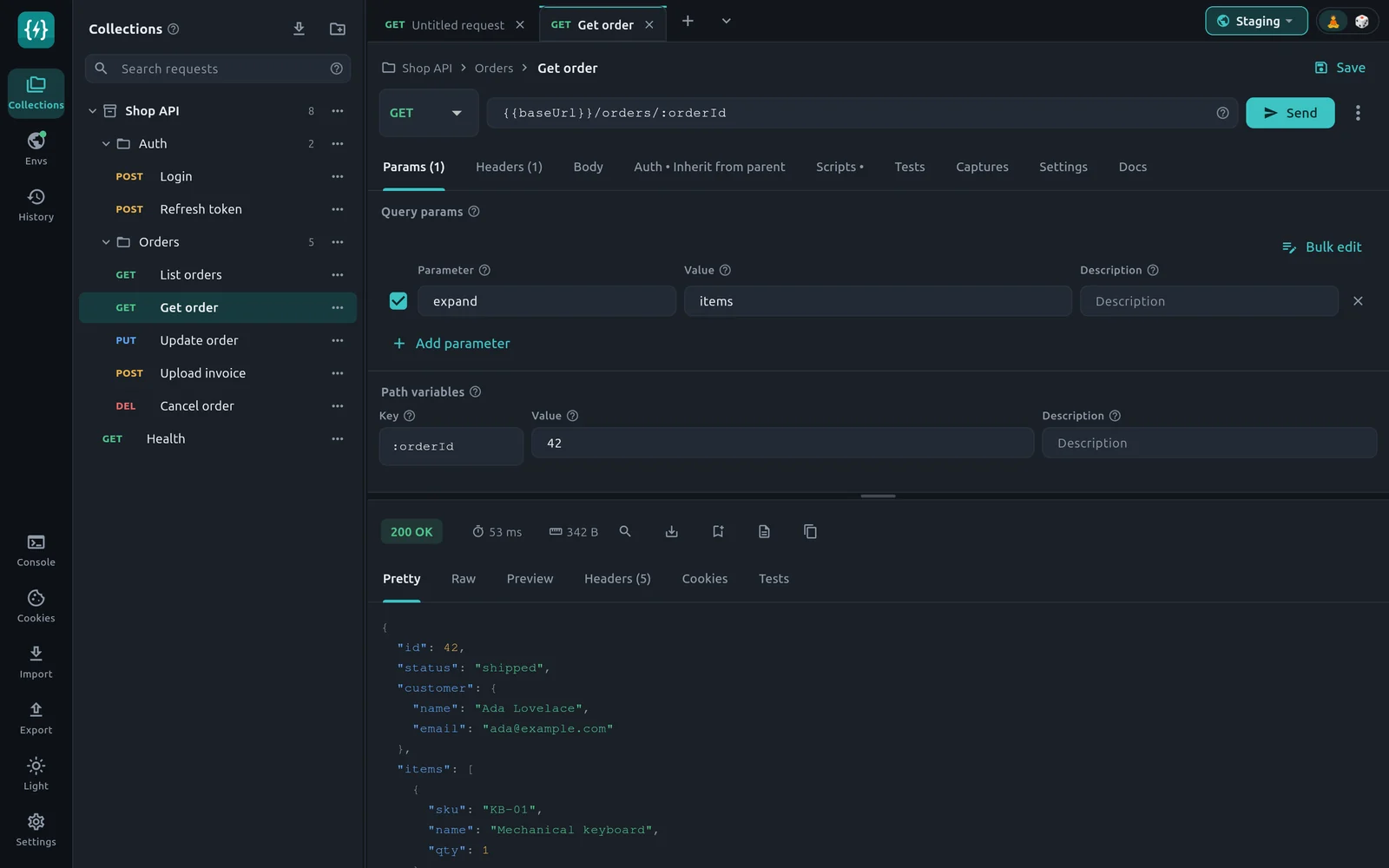
The window adapts to its size. A wide window shows a side panel, the request editor and the response together. A narrow window, or a phone, shows the request and the response on separate screens. See the tour of the window.
Privacy
ApiWorkbench has no accounts, analytics, telemetry, advertising or crash reporting. It makes no update checks.
- Network. The app connects only to the addresses you enter: the requests, runs and load tests you start, the sign-in page of an OAuth 2.0 provider you configure, and requests your scripts make with
pm.sendRequest. Nothing is sent to Dhiva Labs. - Storage. Collections, environments, variables, cookies, history and settings are JSON files in the app's data folder on your device. They are not encrypted. Your operating system account protects them like your other files.
- Secrets. A variable marked Secret is masked on screen and in exports. It is not encrypted on disk.
WARNING
Scripts in a collection you import from someone else run when you send its requests. Read them before you send.
The full policy is PRIVACY.md in the app's repository.
Get help
Report a problem or ask a question on the GitHub issues page. Check Troubleshooting first.