
Mock Studio
Mock Studio is a desktop app that runs a mock API server on your computer. You describe the endpoints in a form, press Start server, and any app, browser or phone that calls the address gets the responses you wrote.
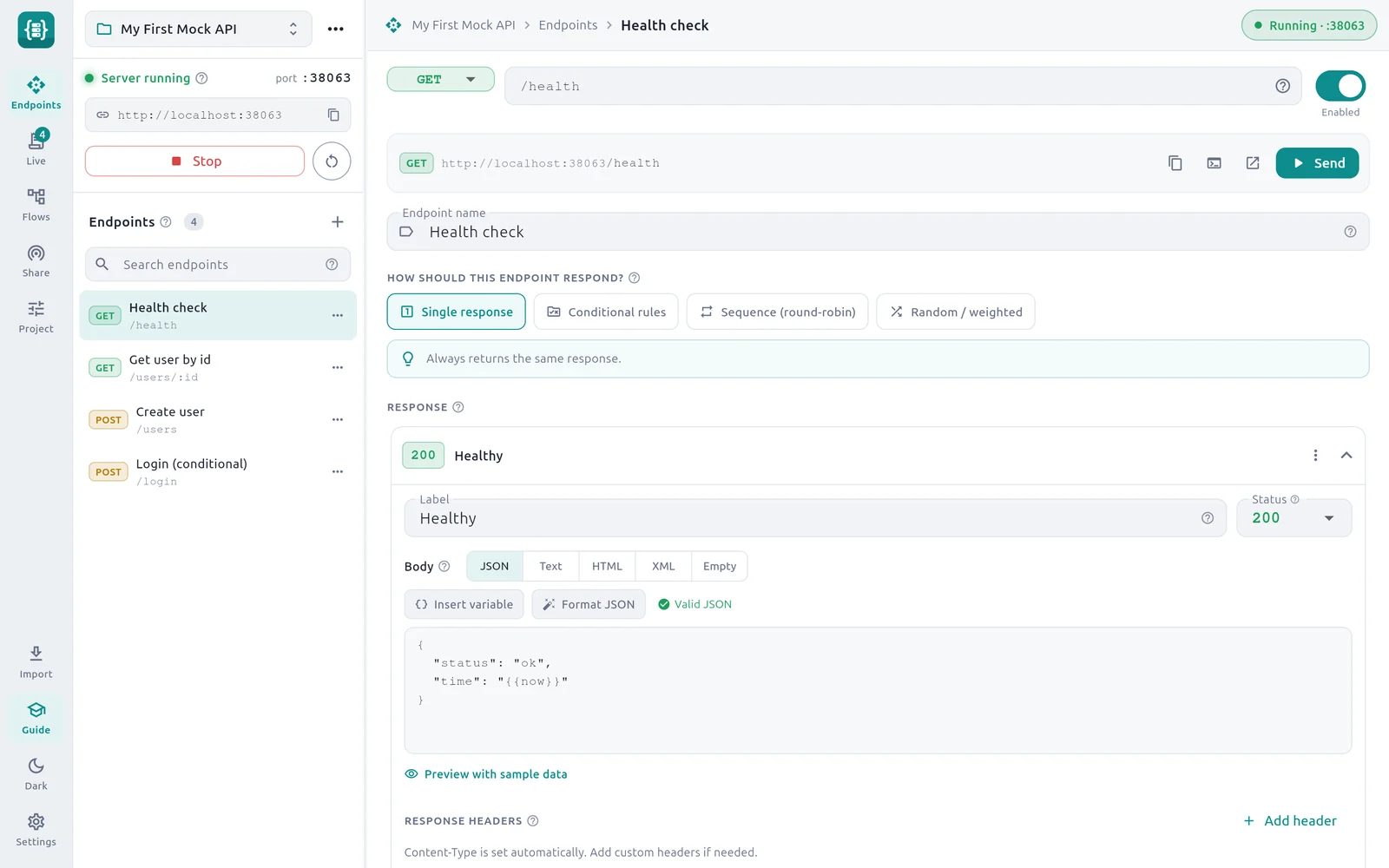
What a mock server is
A mock server is a stand-in for a real API. It listens on an address, such as http://localhost:8080, and answers requests with replies you decide in advance. Nothing behind it stores data or runs business logic.
People use a mock when:
- the real API is not built yet, and the app that calls it has to be written now;
- the real API is slow, costs money per call, or needs credentials you do not have;
- you want to see how your app behaves when the API is slow, returns an error or drops the connection, which is hard to produce on demand with a real server;
- you want a demo or a test that gives the same answer every time.
If the words API, endpoint or status code are new to you, read What is an API and HTTP basics first. Your first mock server explains the idea in more depth.
What Mock Studio does
| You want to | Mock Studio feature | Page |
|---|---|---|
Answer GET /users/42 with JSON | Endpoints with path templates | Endpoints and paths |
| Choose the status, body and headers | Response editor | Responses |
| Answer differently on each call | Four response strategies | Response strategies |
| Return 200 or 401 depending on the request | Conditional rules | Conditional rules |
| Echo the request or invent data | Templating tokens | Dynamic templating |
| Simulate a slow or broken API | Delay, jitter and faults | Latency and faults |
| Require a login header, allow browsers | Auth gate, CORS, project settings | Auth, CORS and project settings |
| Try an endpoint without leaving the app | Built-in tester | Built-in tester |
| See what your app really calls | Live request log | Live request log |
| Call the mock from a phone or the internet | LAN addresses, QR code, tunnels | Share on LAN or the internet |
| Mock part of an API and pass the rest through | Proxy and record | Proxy and record |
| Send many users through a journey | Flows | Flows: load and user journeys |
| Start from an existing collection | Postman import | Import from Postman |
| Start from an API description | OpenAPI import | Import OpenAPI or Swagger |
| Keep mocks in Git and share them | One JSON file per project | Projects, files and Git |
New here? Follow these three pages in order:
The Quick reference has every syntax table on one page, and Troubleshooting covers the common problems.
Who it is for
- Front-end and mobile developers who need an API to call before the back end exists.
- Testers who need repeatable replies, error cases and slow responses. See Testing with mocks and Resilience testing.
- Students and beginners who want to see what an HTTP request and response look like. Every field in the app has a question-mark icon that explains it with an example.
- API teams who want to hand a working example of an API to others as a file.
Platforms
This section describes version 1.2.0. It is published for Linux:
- a
.debpackage for 64-bit Intel and AMD computers (amd64) running Debian, Ubuntu and related systems; - a snap in the Snap Store.
See Install for the commands. On a narrow window or a small screen the app switches to a phone layout with navigation at the bottom.
Privacy
Mock Studio has no accounts, analytics, telemetry or update checks, and it sends nothing to Dhiva Labs. The only network activity is what you start:
- the mock server, which listens on the port you choose while it is running;
- test requests and flows you send;
- proxy passthrough, if you set a real API address;
- a public tunnel, if you start one. It runs the
cloudflaredorngrokprogram installed on your computer, and that service's own privacy policy covers the traffic.
Projects are saved as JSON files in your Documents folder. The request log is kept in memory and is cleared when you quit. The full policy is in the project repository.
Get help
Report a problem or ask a question on the GitHub issues page.