
Manage medications
Add each medicine you take, with the times and days it is due. DoseDrop builds the day's doses from this list.
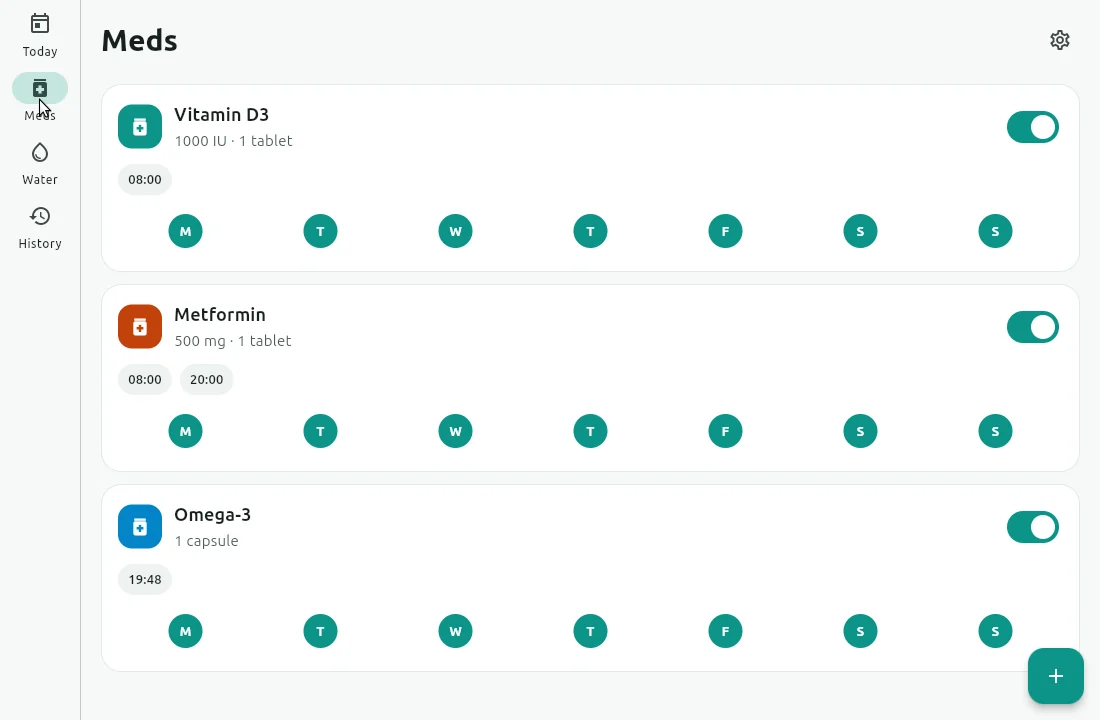
Add a medication
Open the Meds tab and tap the + button (Add medication).
Fill in the New medication form:
- Name: required.
- Dosage: optional, for example
500 mg · 1 tablet. It appears under the name in reminders. - Color: a colour to tell medicines apart at a glance.
- Times: tap Add for each time of day. You need at least one.
- Repeats on: the days of the week. You need at least one.
- Notes (optional): anything you want to remember, such as "with food".
Tap Add medication.
If something is missing, the form tells you: Enter a name, Add at least one time or Choose at least one day.
Change a medication
Tap the medication's card on the Meds tab. The Edit medication form opens. Make your changes and tap Save changes.
To remove a time, tap the cross on its chip in Times.
Good to know
History shows past days using each medicine's current schedule. If you change a medicine's times or days, past days are shown as if the new schedule had always applied.
Pause one medication
Turn off the switch on the medication's card, or turn off Enabled in its form. DoseDrop stops reminding you about that medicine until you turn it back on. The medicine and its history stay.
To pause every reminder for an hour instead, see Pause all reminders.
Delete a medication
Tap the medication's card to open it.
Tap Delete medication at the bottom.
In Delete medication?, tap Delete.
WARNING
Deleting a medication also deletes its dose history, and it cannot be undone. To stop reminders but keep the history, turn the medication off instead.