
BranchPilot
BranchPilot is a Git client for the Linux desktop. It shows your project's history as a graph, lets you stage changes one block at a time, and turns branching, merging and rebasing into buttons and menus.
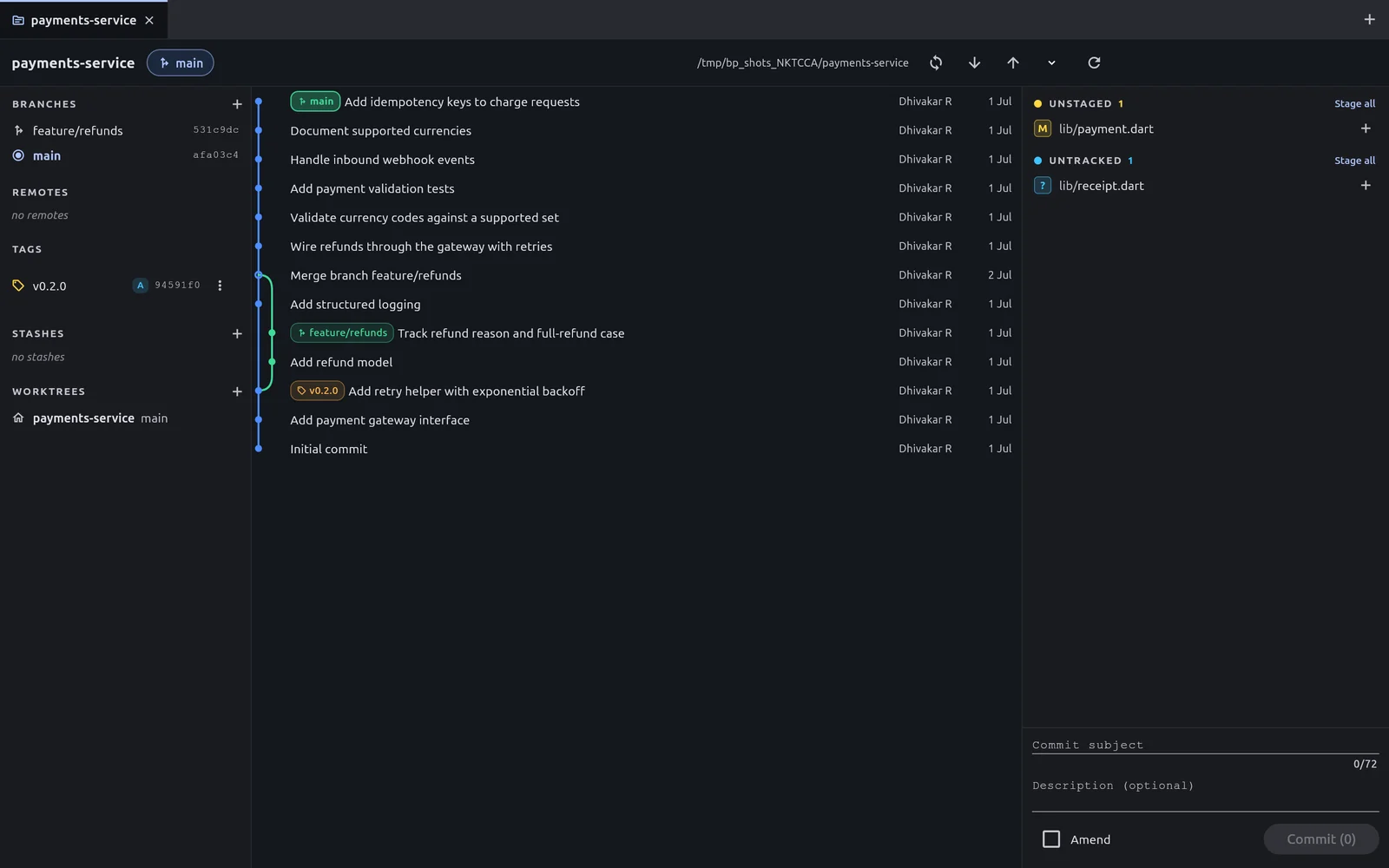
- 1Repository tabs — Each open repository gets a tab. The plus button on the right opens another one.
- 2Current branch — The branch you are on, and its upstream if it has one.
- 3Fetch, pull and push — Talk to the remote. The small arrow holds the force push option; the last button refreshes everything.
- 4Sidebar — Branches, Remotes, Tags, Stashes and Worktrees.
- 5Commit graph — Every commit, newest on top. Select one for its details, right-click for actions.
- 6Changes — Files you have edited, grouped into Staged, Unstaged and Untracked.
- 7Commit box — Write the commit subject and description, then commit what is staged.
Who it is for
- People learning Git who want to see what each command does to the history.
- Developers who prefer to review and stage changes visually before they commit.
- Anyone who finds
git rebase -iin a text editor awkward.
What it does
- Commit graph. A visual history of all branches with coloured labels for branches, tags, remotes and
HEAD. It loads 500 commits at a time and loads more as you scroll. - Diff and staging. A syntax-highlighted diff. Stage or unstage a whole file, or one hunk (one block of changed lines) at a time.
- Commit and amend. A subject and description editor with a 72-character counter, and an Amend toggle that brings back the previous message.
- Branches, merges and stashes. Create, check out, rename and delete branches. Merge one branch into another and resolve conflicts inside the app. Stash work and bring it back later.
- Remotes. Fetch, pull and push, with the real output of Git shown as it arrives. You can cancel a running task.
- Interactive rebase. Reorder commits by dragging, and choose pick, reword, squash, fixup or drop for each one.
- More tools. Tags, cherry-pick, revert, reset, worktrees and per-file history.
How it works with Git
BranchPilot does not replace Git. It runs the git command-line tool, the same way you would in a terminal. The .deb and PPA packages use the Git that is already installed on your computer; the snap carries its own copy because its sandbox cannot run yours. Two things follow from that:
- Your sign-in stays where it already is: in Git's credential helpers and in
ssh-agent. BranchPilot never asks for, sees or stores a password. - Anything BranchPilot does, you can also inspect or undo with ordinary Git commands.
Platforms
BranchPilot runs on Linux. The released 1.0.0 packages are for 64-bit Intel and AMD computers (amd64). The .deb and PPA packages need Git 2.28 or newer on your system.