
Beginner guide
You will see what Cloakpaste hides in a sample text, paste something into an AI chat, and read the reply with the originals shown back to you. It takes about five minutes.
What you need
- Cloakpaste installed. See Install.
- An account on one of the supported AI chat sites, for example ChatGPT, Claude or Gemini.
Try the playground
The playground shows what Cloakpaste would hide, without pasting anywhere.
Select the Cloakpaste icon in the toolbar, then Settings and playground.
Under Playground, the box already holds a sample text. Keep it, or paste your own.
Select Check text.
Below the box you see the text with placeholders, and a list of every hidden item with its kind and whether a pattern or the model found it.
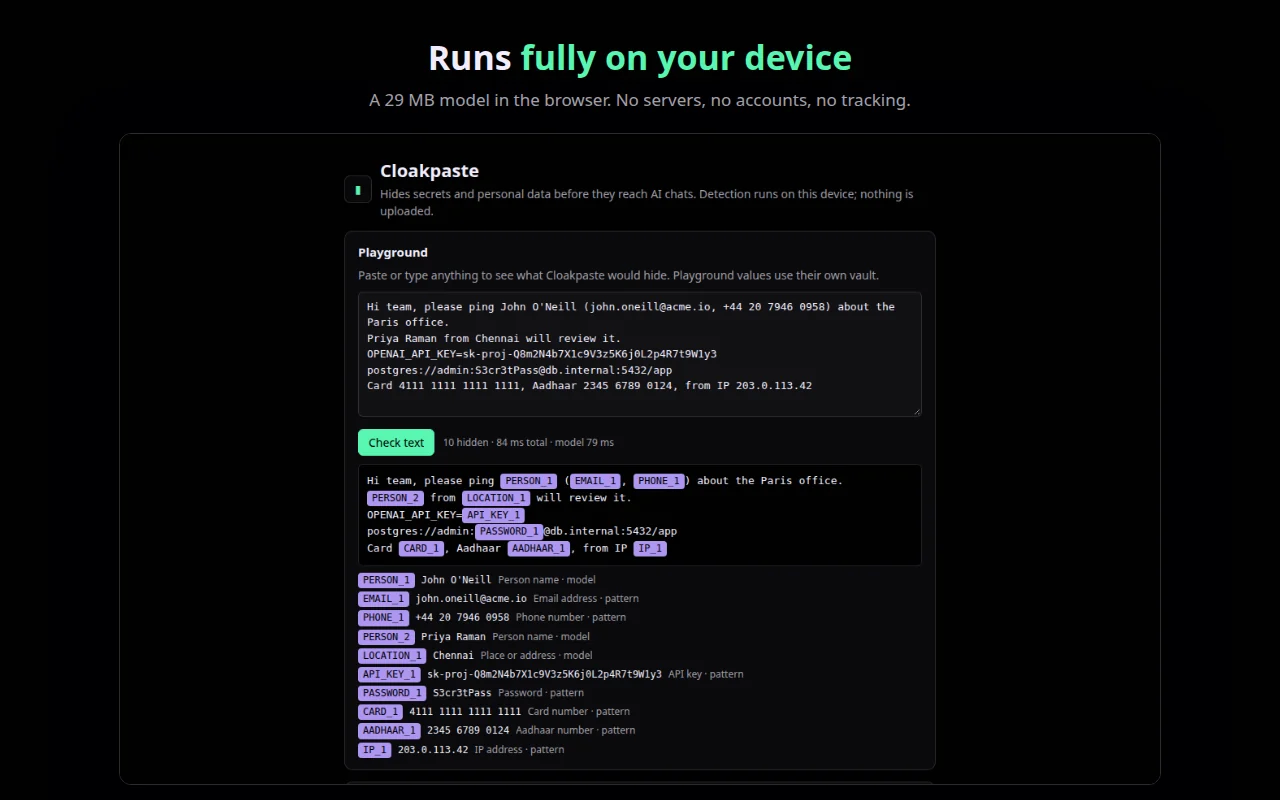
Playground values use their own vault, so nothing you try here affects real sites.
Paste into a chat
Open a supported AI chat site.
Copy some text with an email address or a name in it, for example:
textPlease reply to Priya Raman at priya@example.com about invoice 1042.Paste it into the chat box with Ctrl + V (Cmd + V on a Mac).
Cloakpaste checks the paste first. The chat box receives the text with placeholders, such as
[PERSON_1]and[EMAIL_1].Read the notice in the corner, for example Hid 2 items before pasting, with the kinds listed. Select Details to see each placeholder next to a partly masked original.
If you meant to share the original text, select Paste original on the notice.
The first paste after the browser starts takes about a second while the model loads. Later pastes are much quicker.
Read the reply
Send the message.
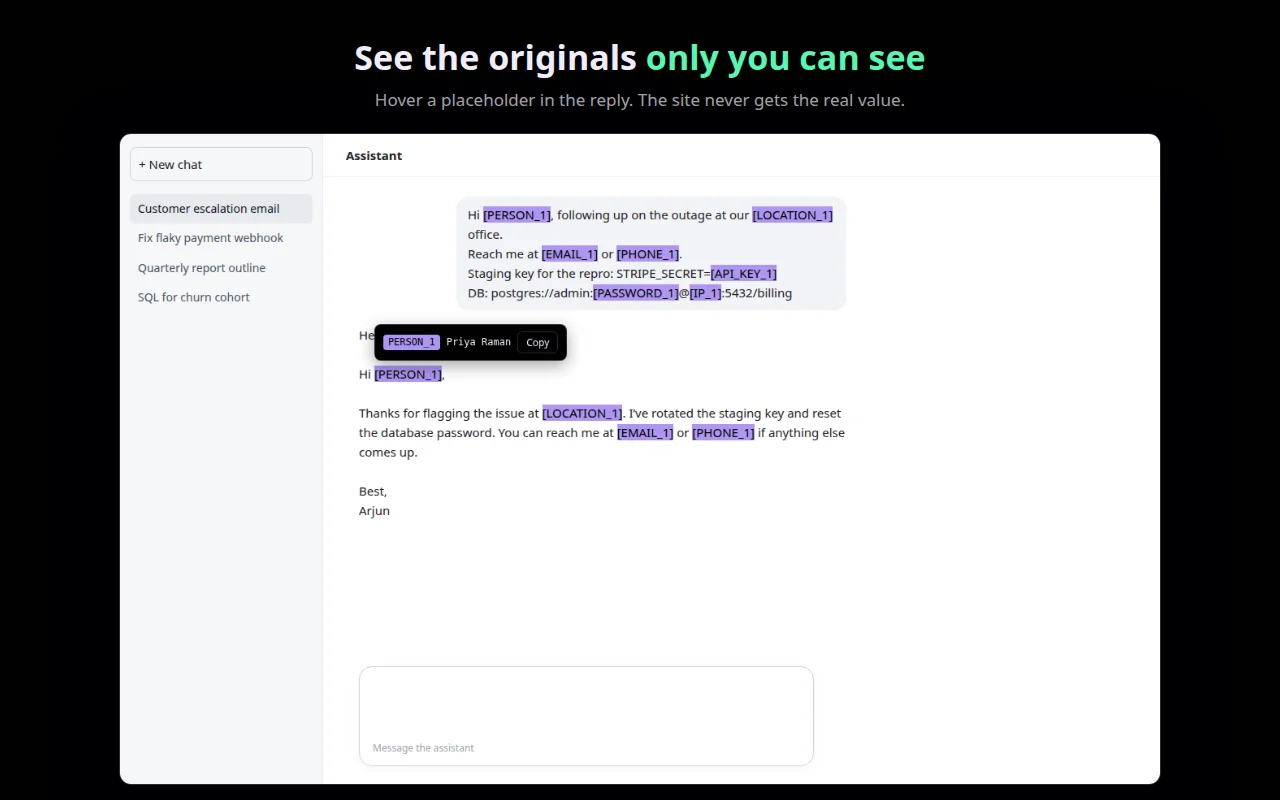
When the reply uses a placeholder, it is highlighted. Hover over it.
A small tooltip shows the original, with a Copy button. The site itself never receives the original.
To keep the reply with the real values, select the text and copy it with Ctrl + C. Cloakpaste puts the originals on the clipboard.
WARNING
A site's own Copy button copies the placeholders, not the originals. Select the text and copy it yourself instead.
Check what was hidden
Select the Cloakpaste icon. Under Hidden on this site you see every placeholder used on the current site. Show reveals the original, Copy copies it, and Forget removes it from the browser. The toolbar icon's badge counts the items hidden.
What you learned
- Cloakpaste swaps sensitive items for placeholders as you paste.
- The notice after each paste says what was hidden and offers Paste original.
- Hovering a placeholder in a reply shows the original, only to you.